Start Guide
This page contains step-by-step instructions to download and play Deeptower.
How to Run Deeptower
- Download and install Plutoware, which is bundled with the Deeptower ROM.
- Open Plutoware. The Plutoware terminal window should apear.
- Input the following 3 commands in this order:
load deeptower
load deeptowermod apply datapatch
start
- Read the "How to Enjoy Deeptower" guide below.
How to Enjoy Deeptower
 The search bar The search bar |
|
- Keep the wiki open. Have both open on one screen or use two screens! You can have the wiki open on your phone.
- Use the Search Function. If you get stuck, a good place to start is to look up your location name
in the wiki.
- Refer to Controls for, well, controls.
- Be yourself.
Settings
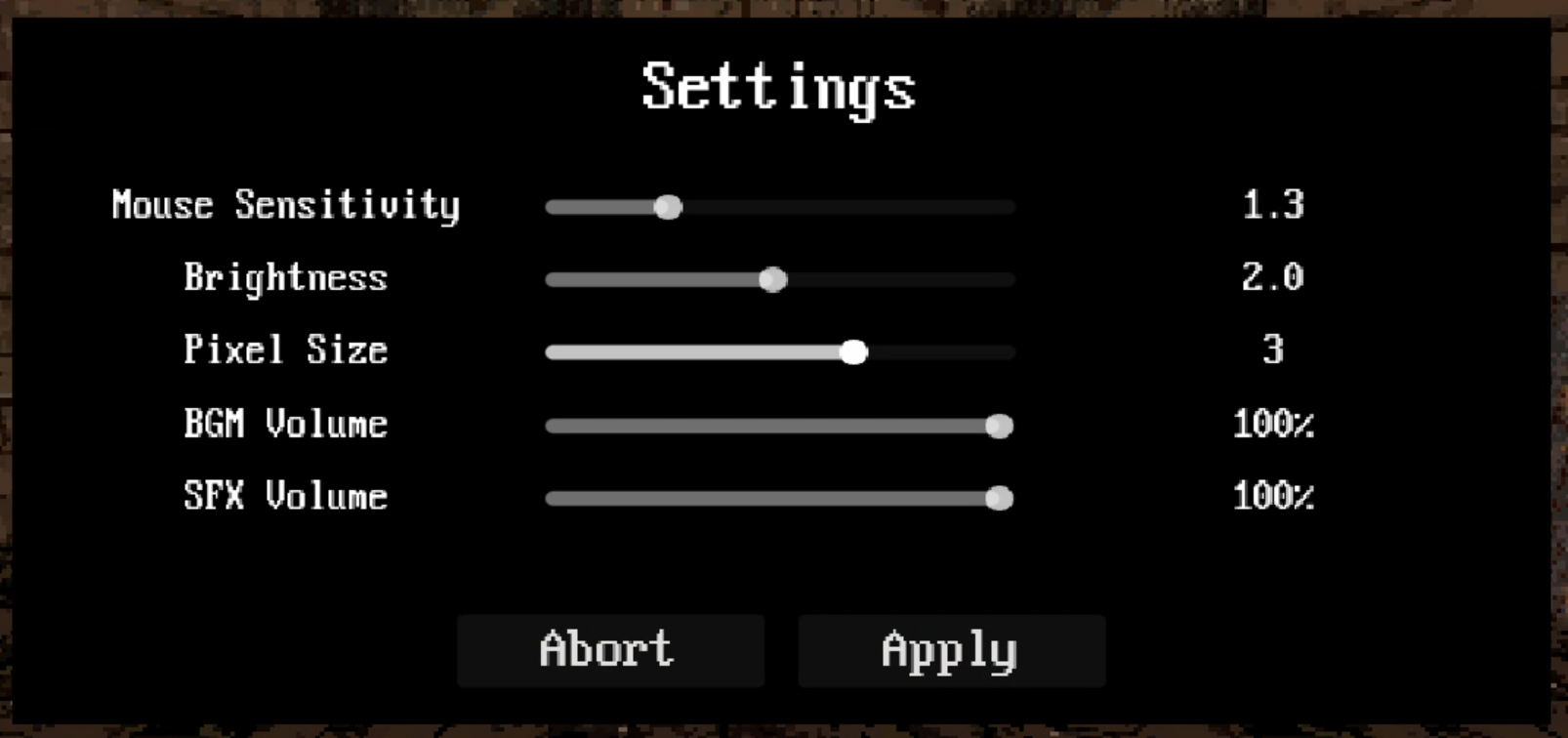 The settings page The settings page |
|
- Mouse Sensitivity. Changes how fast you can look around when clicking, not actually how fast your mouse moves.
- Brightness. Changes how bright the game is.
- Pixel Size. The game has a pixel filter over it to emulate how it looked when it originally released on the EXPERIBOX. If it's too much, you can decrease the pixelation.
- BGM Volume. Changes the volume of the music.
- SFX Volume. Changes the volume of sound effects.